IT equipment in Campus Libraries
Copying, scanning and printing
When copying, printing and scanning, please be sure to comply with the Act on Copyright and Related Rights, espectially sections 52a and 53!
Copying
................................................................................................................................................................................................
| Campus Library | |
| Finkenau | Possible outside the campus library (old building, room 239). Books can be taken away briefly for copying after consultation with library staff. |
| Bergedorf | In the Elbe-Werkstätten Copy Centre, room 0.41 (price: 5 cents per page). Books can be taken away briefly for copying after consultation with library staff. |
| Alexanderstraße | Possible outside of the library (Haus A, room 7.10). Books can be taken away briefly for copying after consultation with library staff. |
| Berliner Tor | On the ground floor outside the Campus Library Berliner Tor there is a copier. Books can be taken away briefly for copying after consultation with library staff. |
| HIBS Learning Center | Unfortunately not possible. |
Scanning
................................................................................................................................................................................................
| Campus Library | |
| Finkenau | Three book scanners are available. It is possible to save files on a USB stick. |
| Bergedorf | A book scanner is available directly in the library. It is possible to save files on a USB stick. |
| Alexanderstraße | Two book scanners are located directly in the library. It is possible to save files on a USB stick. |
| Berliner Tor | Two book scanners are located directly in the library. It is possible to save files on a USB stick. |
| HIBS Learning Center | One book scanner is located on the 7th floor. It is possible to save files on a USB stick. |
Printing
................................................................................................................................................................................................
Unfortunately printing is not possible in our libraries.
Wi-Fi, eduroam
All of the libraries are connected to the HAW Hamburg Wi-Fi network. To find out how to log in to the network, please see the Wi-Fi page.
Overview of IT equipment in each library
| Campus Library | Wi-Fi | Book scanner | BYOD Monitors | Printer | Mobile CleverTouch monitors |
| Finkenau | yes | yes | 4 | no | 2 |
| Bergedorf | yes | yes | 2 | no | 1 |
| Alexanderstraße | yes | yes | 2 | no | 1 |
| Berliner Tor | yes | yes | 2 | no | 1 |
| HIBS Learning Center | yes | yes | 10 | no | 3 conference monitors (incl. camera, loudspeaker, microphone) |
Catalogue workstations
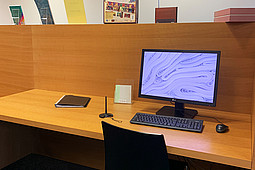
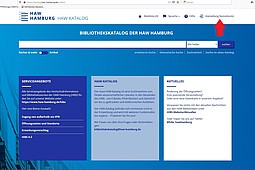
You can use the catalogue computers in the libraries to access the HAW catalogue and search the library collections. These computers are provided for literature searches only and are not connected to the Internet.
You can also use the catalogue computers for free-of-charge access to the online DIN standards and DIN-VDE standards.
Mobile conference monitors
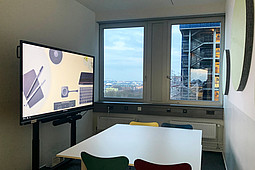
Three mobile conference monitors are available at the HIBS Learning Centre at Berliner Tor 5 (7th floor). Thanks to the additional equipment with camera, loudspeaker and microphone, these devices can be used for hybrid conferences in addition to presentations (provided you have a conference tool on your laptop).
To give presentations or hold conference calls, simply connect your laptop to the conference monitor using ClickShare. Detailed instructions are available on site for each monitor.
Mobile CleverTouch monitors
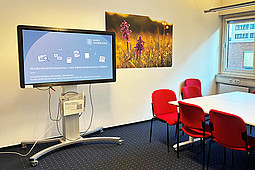
A mobile CleverTouch monitor is available in every campus library. There are even two of them in the Campus Library Finkenau at Finkenau 35.
To give a presentation, simply connect your laptop to the large monitor using ClickShare. Detailed instructions are available on site at each CleverTouch monitor. Alternatively, you can connect via HDMI cable.
Workstations with monitors for connection
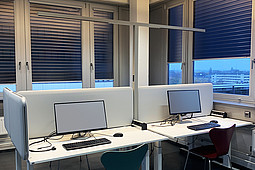
Some library workstations at all HIBS locations are equipped with BYOD monitors. These are 24" monitors to which you can connect your laptop via USB-C (at Berliner Tor 5 also via HDMI).
Automated borrowing and returns
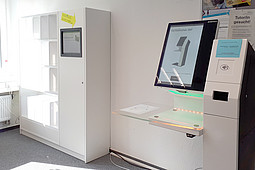
Self-service borrowing: It is possible to borrow books using the self-service checkout stations in each of the libraries.
Automated returns shelves: All the HAW libraries have automated returns shelves which automatically record the returns when books are placed in them. Most items are immediately available for borrowing.
Library items can also be borrowed and returned at the loans desk during the service hours. Additional information about borrowing